
Issues
An Issue in GuideMode represents a unit of work tracked across various providers (GitHub, Jira, Linear, Notion). Issues are central to work tracking, powering metrics like lead time, cycle time, and work distribution.
Overview
Section titled “Overview”Issues in GuideMode:
- Track work items from all connected providers
- Categorize by type (feature, bug, discovery, etc.)
- Track state transitions for cycle time metrics
- Link to pull requests for delivery tracking
- Connect to deployments for lead time calculations
Issue Types
Section titled “Issue Types”GuideMode classifies all issues into canonical types, regardless of provider:
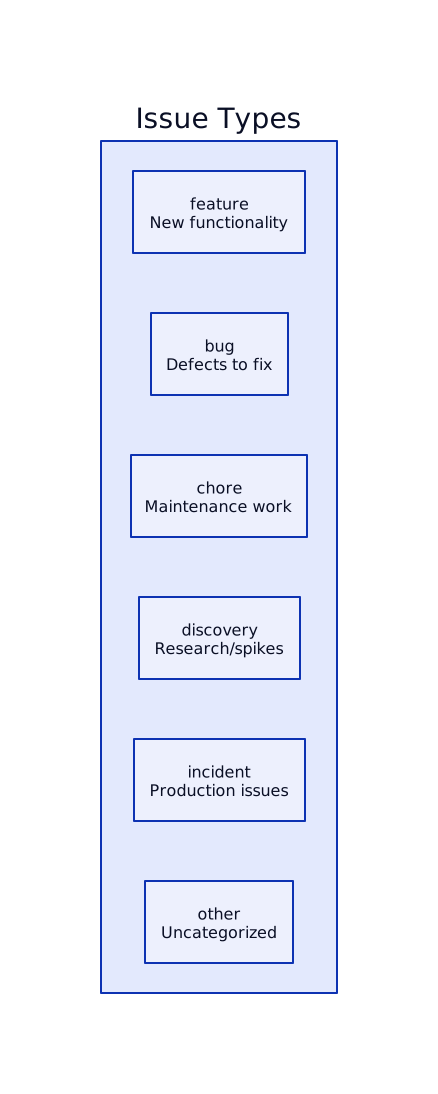
| Type | Description | Examples |
|---|---|---|
feature |
New functionality or capability | “Add user authentication”, “Implement search” |
bug |
Defects or issues to fix | “Login fails on mobile”, “Data not saving” |
chore |
Maintenance and housekeeping | “Update dependencies”, “Refactor auth module” |
discovery |
Research, spikes, or exploration | “Investigate caching options”, “Prototype new UI” |
incident |
Production incidents or outages | “API downtime”, “Database connection errors” |
other |
Uncategorized issues | Default when type can’t be determined |
Type Mapping
Section titled “Type Mapping”Issue types are determined by mapping labels from each provider:

You can configure label-to-type mappings in Settings → Integrations → Label Mappings.
Issue States
Section titled “Issue States”Issues have three possible states that drive lifecycle metrics:

| State | Description | Sets Timestamp |
|---|---|---|
open |
Issue created, not yet started | createdAt |
in_progress |
Work actively being done | startedAt |
closed |
Issue resolved or completed | closedAt |
State Mapping by Provider
Section titled “State Mapping by Provider”Different providers represent states differently:
| Provider | Open | In Progress | Closed |
|---|---|---|---|
| GitHub | Open | (via project column) | Closed |
| Jira | To Do, Backlog | In Progress, In Review | Done, Closed |
| Linear | Backlog, Todo | In Progress | Done, Canceled |
| Notion | Not Started | In Progress | Complete |
Key Fields
Section titled “Key Fields”Core Fields
Section titled “Core Fields”| Field | Type | Description |
|---|---|---|
title |
string | Issue title/summary |
body |
string | Issue description (optional) |
url |
string | Web URL to issue |
state |
enum | ‘open’, ‘closed’, ‘in_progress’ |
type |
enum | ‘feature’, ‘bug’, ‘chore’, ‘discovery’, ‘incident’, ‘other’ |
number |
integer | Issue number (GitHub/GitLab style) |
Provider Fields
Section titled “Provider Fields”| Field | Description |
|---|---|
provider |
Source provider (‘github’, ‘jira’, ‘linear’, ‘notion’) |
externalId |
Provider’s issue ID |
linearIssueId |
Linear’s UUID |
linearIssueIdentifier |
Linear identifier (e.g., “ENG-123”) |
jiraIssueKey |
Jira key (e.g., “PROJ-456”) |
People Fields
Section titled “People Fields”| Field | Description |
|---|---|
authorId |
GuideMode user who created issue |
authorExternalId |
Provider’s author ID |
authorUsername |
Author’s username |
assigneeId |
Primary assignee (GuideMode user) |
assigneeExternalId |
Provider’s assignee ID |
assigneeUsername |
Assignee’s username |
assigneeCount |
Total number of assignees |
Engagement Fields
Section titled “Engagement Fields”| Field | Description |
|---|---|
commentCount |
Number of comments on issue |
Key Timestamps
Section titled “Key Timestamps”Timestamps are critical for calculating metrics. GuideMode tracks several:

| Timestamp | Description | Used For |
|---|---|---|
createdAt |
When issue was created | Lead time start |
startedAt |
When work began (moved to in_progress) | Cycle time start |
closedAt |
When issue was closed | Lead/cycle time end |
firstResponseAt |
When first comment was added | First response SLA |
updatedAt |
Last modification | Freshness tracking |
lastSyncedAt |
Last sync from provider | Sync health |
Issue Lifecycle
Section titled “Issue Lifecycle”Typical Flow
Section titled “Typical Flow”
Discovery Flow
Section titled “Discovery Flow”Discovery issues have a special lifecycle focused on validation:

See Issue Linking for details on discovery validation.
Metrics Calculations
Section titled “Metrics Calculations”Lead Time
Section titled “Lead Time”Time from issue creation to resolution:
Lead Time = closedAt - createdAtMeasures the total time a work item exists before completion.
Cycle Time
Section titled “Cycle Time”Time from starting work to completion:
Cycle Time = closedAt - startedAtMeasures active work time, excluding waiting in backlog.
First Response Time
Section titled “First Response Time”Time from creation to first engagement:
First Response Time = firstResponseAt - createdAtUseful for support/incident response SLAs.
Work Distribution
Section titled “Work Distribution”Breakdown of issues by type:
Feature % = (feature count / total count) × 100Bug % = (bug count / total count) × 100...Helps understand planned vs unplanned work ratios.
Labels
Section titled “Labels”Issues can have multiple labels for categorization:
| Field | Description |
|---|---|
name |
Label name (e.g., “priority:high”) |
color |
Hex color code (#ff0000) |
description |
Label description |
externalId |
Provider’s label ID |
Labels are synced from providers and used for:
- Type mapping (label → issue type)
- Filtering in dashboards
- Custom categorization
Metadata
Section titled “Metadata”The metadata field stores provider-specific data as JSON:
{ "milestone": { "id": 123, "title": "v2.0" }, "priority": "high", "custom_fields": { "story_points": 5 }}This preserves provider-specific information that doesn’t map to standard fields.
Related Documentation
Section titled “Related Documentation”Core Concepts
Section titled “Core Concepts”- Issue Linking - Connecting issues across tools
- Pull Requests - Linking PRs to issues
- Deployments - Tracking issue delivery
- Projects - Grouping issues into projects
Analytics
Section titled “Analytics”- Discovery Flow - Discovery issue metrics
- Delivery Flow - Feature, bug, chore metrics
- How It Works - DX² methodology
- Guide Rails - Setting lead time and cycle time guide rails
Integrations
Section titled “Integrations”- Integrations Overview - Connect your issue trackers